AI Assistant page in Jitterbit Management Console
Overview
| Purpose | Access a dedicated full-page interface for AskJB AI, the APIM AI Assistant, and the Management AI Assistant |
| Location | Harmony portal menu > Management Console > AI Assistant |
| Page access | Users with Admin or Read role permission |
Introduction
The AI Assistant page in the Management Console provides a dedicated full-page interface for AskJB AI. If your organization has a license for them, the page also provides access to the APIM AI Assistant and the Management AI Assistant. Contact your Customer Success Manager (CSM) to have them added to your Harmony license.
Start a chat
The AI Assistant page displays the following interface:
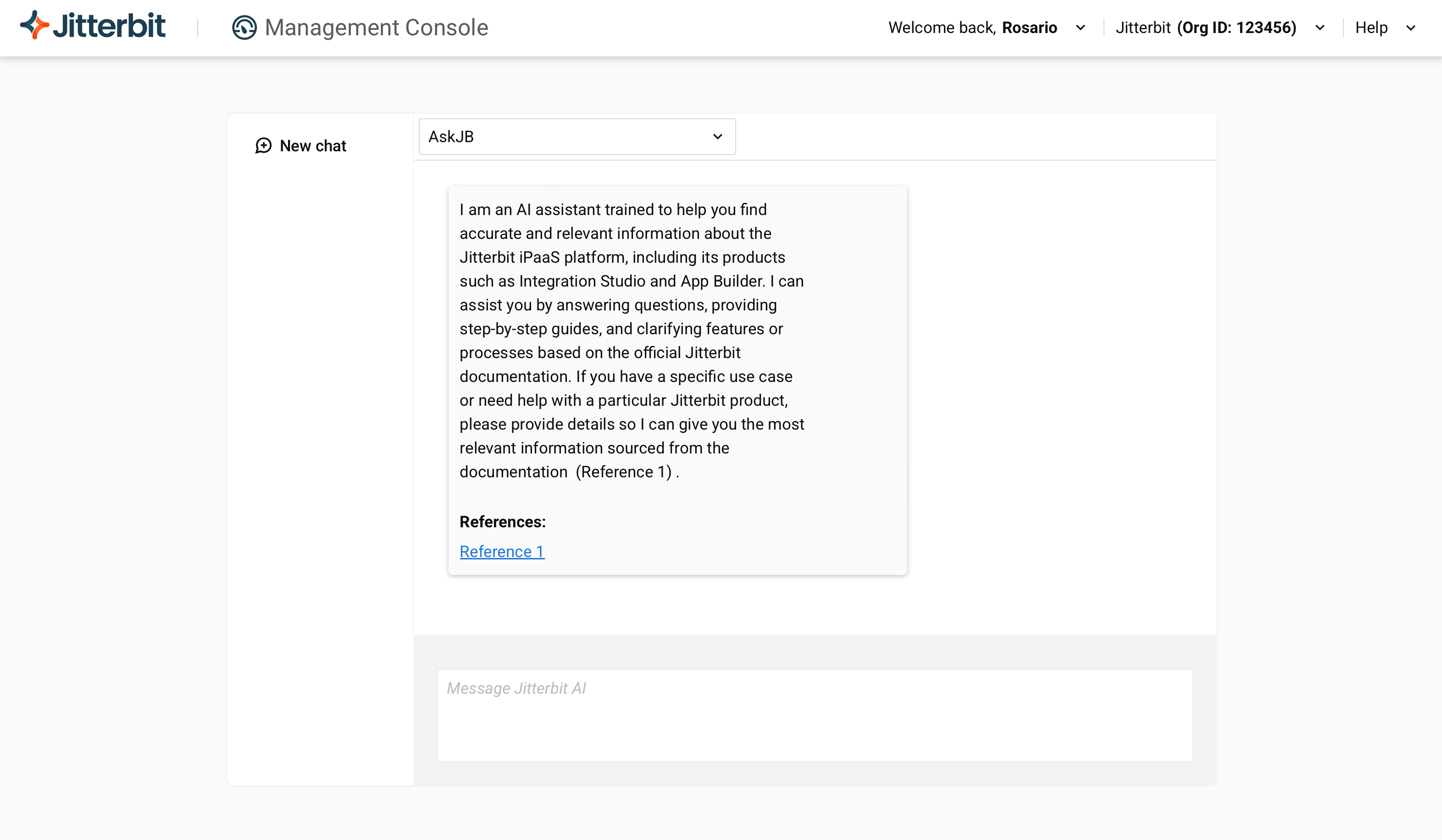
- Home: Return to the current chat from chat history. Available only for the APIM AI Assistant and Management AI Assistant.
- History: Browse your previous chats and select one to view. Available only for the APIM AI Assistant and Management AI Assistant. For users with Admin permission, each chat in the list also shows its token usage. For details, see the APIM AI Assistant controls or Management AI Assistant controls.
- New chat: Starts a new chat session.
- Users chat: View chat history for a specific user. Available only for the APIM AI Assistant and Management AI Assistant, and only to users with Admin permission. For details, see the APIM AI Assistant controls or Management AI Assistant controls.
- Bot type: Use the menu to select the bot type. AskJB AI is available to all users. APIM AI Assistant and Management AI Assistant appear only if your organization has a license for them.
- Prompt: Enter natural language input to tell the assistant what you want it to do. For examples, see the AskJB AI, APIM AI Assistant, or Management AI Assistant documentation.