PGP connector in Jitterbit Studio
Summary
The PGP connector allows for the encryption, decryption, and signing of files in compliance with the OpenPGP encryption standard.
The PGP connector provides an interface for creating a PGP connection, the foundation used for generating instances of PGP activities.
The PGP connector is accessed from the design component palette's Project endpoints and connectors tab (see Design component palette).
Connector overview
This connector is used to first configure a PGP connection. Activity types associated with that connection are then used to create instances of activities that are intended to be used as sources (to provide data in an operation) or targets (to consume data in an operation).
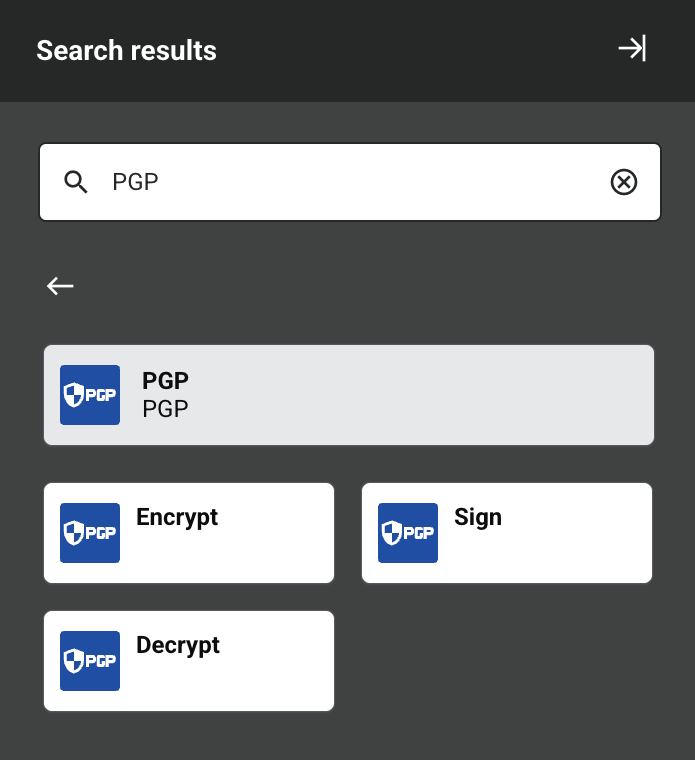
Together, a specific PGP connection and its activities are referred to as a PGP endpoint:
-
Encrypt: Encrypts files and is intended to be used as a target in an operation.
-
Sign: Signs files and is intended to be used as a target in an operation.
-
Decrypt: Decrypts files and is intended to be used as a target in an operation.
Endpoints created with this connector are excluded from endpoint usage reporting and from your license count.
Prerequisites and supported API versions
This connector can be used with cloud agents and private agents.
Agents automatically download the latest version of this connector when required. On private agents, you can suspend these updates with the Disable Auto Connector Update organization policy.
The PGP connector uses the Bouncy Castle API which implements the OpenPGP encryption standard. Refer to the API documentation for information on the schema nodes and fields. For more information on the OpenPGP specification, refer to IETF RFC 9580: OpenPGP.
Troubleshooting
If you experience issues with the PGP connector, these troubleshooting steps are recommended:
-
Click the Test button in the connection configuration to ensure the connection is successful and to ensure the latest version of the connector is downloaded to the agent (unless using the Disable Auto Connector Update organization policy).
-
Check the operation logs for any information written during execution of the operation.
-
Enable operation debug logging (for cloud agents or for private agents) to generate additional log files and data.
-
If using private agents, you can enable connector verbose logging for this connector by adding this logger configuration entry to your private agent's
logback.xmlfile:<logger name="org.jitterbit.connector.pgp" level="DEBUG"/>For more information on connector verbose logging, see Verbose logging for connectors using Jitterbit private agents.
-
If using private agents, you can check the agent logs for more information.
-
For additional troubleshooting considerations, see Operation troubleshooting.