Microsoft Excel v3 (Beta) connector in Jitterbit Studio
Summary
The Microsoft Excel v3 (Beta) connector establishes access to Microsoft Excel workbook files stored on the agent's own filesystem, within the agent's installation directory, or at a network location.
The Microsoft Excel v3 (Beta) connector provides an interface for creating a Microsoft Excel v3 (Beta) connection, the foundation used for generating instances of Microsoft Excel v3 (Beta) activities. These activities, once configured, interact with Microsoft Excel through the connection.
The Microsoft Excel v3 (Beta) connector is accessed from the design component palette's Project endpoints and connectors tab (see Design component palette).
Note
This connector is currently in beta. To provide feedback, contact the Jitterbit Product Team.
Connector overview
This connector is used to first configure a Microsoft Excel v3 (Beta) connection. Activity types associated with that connection are then used to create instances of activities that are intended to be used as sources or targets (to provide or consume data in an operation).
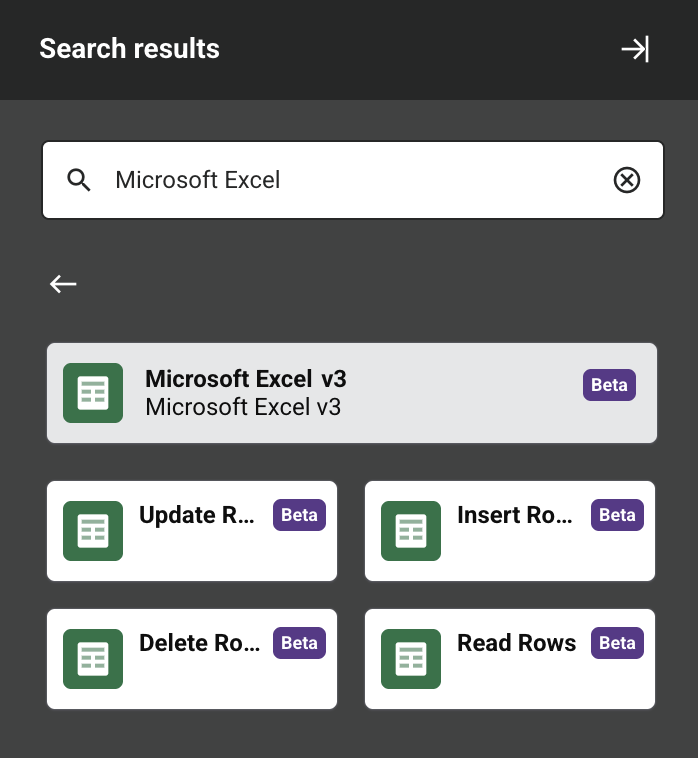
Together, a specific Microsoft Excel v3 (Beta) connection and its activities are referred to as a Microsoft Excel v3 (Beta) endpoint:
-
Update Rows: Updates one or more existing rows of a worksheet and is intended to be used as a target in an operation.
-
Insert Rows: Writes one or more rows to a worksheet and is intended to be used as a target in an operation.
-
Delete Rows: Deletes one or more existing rows from a worksheet and is intended to be used as a target in an operation.
-
Read Rows: Reads rows from a worksheet and is intended to be used as a source in an operation.
Endpoints created with this connector are included in endpoint usage reporting and count toward your license.
Prerequisites and supported API versions
This connector can be used only with private agents and requires private agent version 12.3 or later. It is not supported on private agent version 11.x.
Agents automatically download the latest version of this connector when required. On private agents, you can suspend these updates with the Disable Auto Connector Update organization policy.
This connector reads and writes workbook (.xlsx and .xls) files at the folder configured in the connection's Local Path field, so no authentication is required and no external API version applies. This folder can be a location on the agent's own filesystem, within the agent's installation directory, or at a network location, as long as the agent can reach the configured path.
Important
On Linux private agents, grant read and write access to both the configured folder and its files to the user account that runs the agent service. If this account does not have sufficient access, activities fail with an error similar to:
The "{activityName}" activity failed. /opt/jitterbit/dev/excel/sample.xlsx (Permission denied)
Troubleshooting
If you experience issues with the Microsoft Excel v3 (Beta) connector, these troubleshooting steps are recommended:
-
Click the Test button in the connection configuration to ensure the connection is successful and to ensure the latest version of the connector is downloaded to the agent (unless using the Disable Auto Connector Update organization policy).
-
Check the operation logs for any information written during execution of the operation.
-
Enable operation debug logging for private agents to generate additional log files and data.
-
Enable connector verbose logging for this connector by adding this logger configuration entry to your private agent's
logback.xmlfile:<logger name="org.jitterbit.connector.excelv3" level="TRACE"/>For more information on connector verbose logging, see Verbose logging for connectors using Jitterbit private agents.
-
Check the agent logs for more information.
-
For additional troubleshooting considerations, see Operation troubleshooting.