EDI TRADACOMS settings in Jitterbit EDI
Introduction
To configure the EDI settings for a TRADACOMS workflow, enter values in the following tabs:
Tip
If you change any values on this page, click the Save button.
Preferred ID
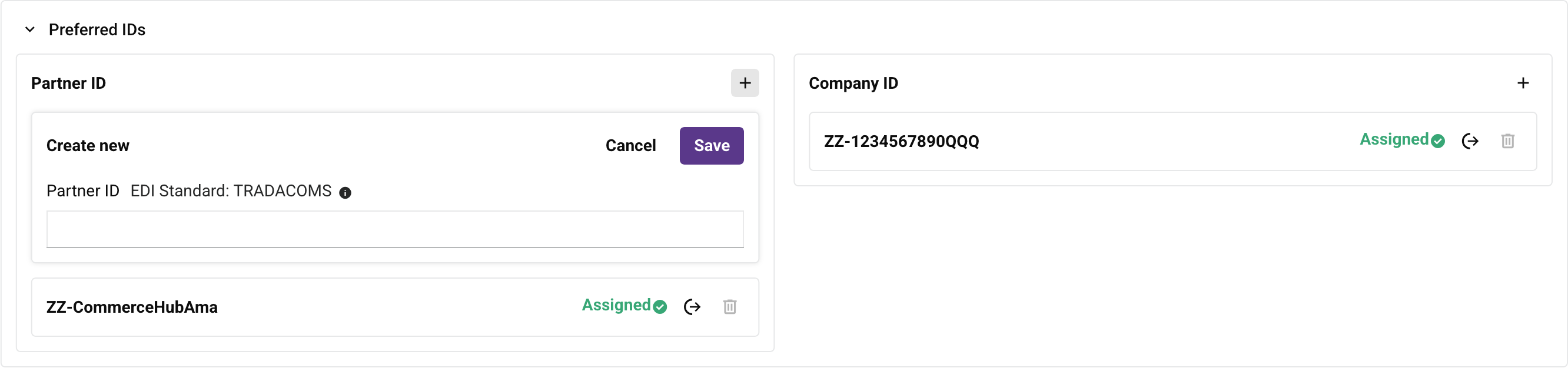
Use this tab to set which EDI ID (GS ID) to use with each partner:

-
Partner ID: This panel shows the available partner IDs. You can do the following:
-
Create: Click to open a Create new row. Enter the new partner ID, then click the Save button:
-
Assign: Click to assign the ID to the partner.
-
Delete: Click to delete the ID. To confirm the action, enter the word DELETE in the Delete dialog's text field, then click the Delete button. (You cannot delete assigned IDs, or the initial ID assigned to the partner.)
-
-
EDI ID: This panel shows the available EDI IDs. You can do the following:
-
Create: Click to open a Create new row. Enter the new EDI ID, then click the Save button.
-
Assign: Click to assign the ID to your organization.
-
Delete: Click to delete the ID. To confirm the action, enter the word DELETE in the Delete dialog's text field, then click the Delete button. (You cannot delete assigned IDs, or the initial EDI ID created for the company.)
-
Interchange
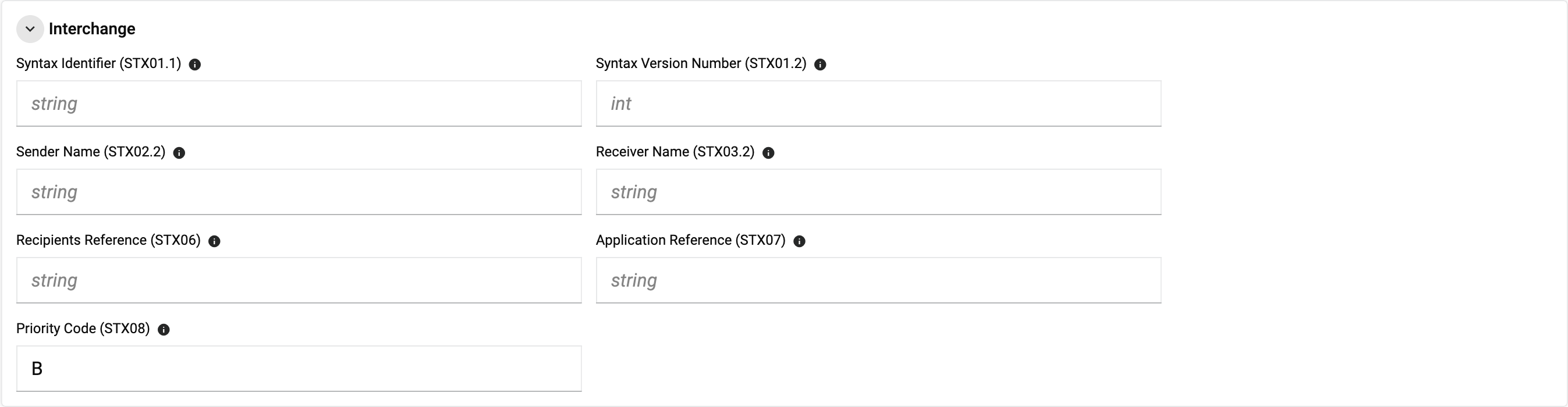
For a full example TRADACOMS message showing these elements in context, see the TRADACOMS example in the EDI envelopes reference.
-
Syntax Identifier (STX01.1): This code signifies the beginning of a new EDI message or envelope. It marks the start of the envelope segment, which contains the metadata and control information necessary for processing the EDI transaction. For example,
ANAA.Valid values:
ANA: Standard Article Numbering Association syntax rules.ANAA: Article Numbering Association syntax rules, with a mandatory reconciliation message (RSGRSG) included.
-
Syntax Version Number (STX01.2): This code provides additional details or specifications related to the start of the envelope. It might include further identifiers or settings that complement the primary start of the envelope code. For example,
1.In the
STXsegment,STX01.1andSTX01.2combine into a single component, separated by the component element separator. For example,STX=ANA:1+.... In practice,1is the only version number used across TRADACOMS implementations. -
Sender Name (STX02.2): This code may include supplementary data or extended information that complements the primary envelope header. It can contain additional administrative or reference details. For example,
ABCCORP UK LTD.Common values include a GS1/ANA location code (a 13-digit numeric identifier, for example
5000000000000), a plain-text company name (for exampleSUPPLIER UK LTD), or a custom alphanumeric partner code (for exampleSUPP01). -
Receiver Name (STX03.2): This code could represent supplementary data or segments within the body of the envelope. It may include additional details or attachments related to the primary body content. For example,
SUPPLIER NAME.Common values include a retailer or organization name (for example
SMITHS LIMITEDorAB TRADING LTD), a short trading-entity code, or a descriptive branch or depot name (for exampleHEAD OFFICEorDISTRIBUTION CENTRE 02). -
Transmission/Interchange Control Reference (STX05): A unique reference number assigned by the sender to the transmission. It's mandatory, can be up to 14 characters, and is used for tracking, matching acknowledgments, and identifying the interchange. For example,
01.Other common formats include sequential numbers (for example
102458) or alphanumeric tracking IDs (for exampleBATCH99A). -
Recipients Reference (STX06): It identifies the transmission reference assigned or expected by the recipient.
Common values include a blank value (when no reciprocal reference is required by the trading partner or network), a numeric sequence number (for example
358767), or an alphanumeric routing code (for exampleB26). -
Application Reference (STX07): This segment could be used for any extra or supplementary information that doesn’t fit into the main envelope segments but is still relevant for processing the EDI message. For example,
ORDHDR.Common values include:
ORDHDR: Order file (purchase orders).INVFIL: Invoice file.DELHDR: Delivery notification file.PAYHDR: Payment order file.ACKHDR: Acknowledgment file.PRICATorPRIINF: Price information file.PROINF: Product information file.GENRAL: General communications file.
-
Priority Code (STX08): This code represents any special segments or codes that might be used for specific purposes, such as industry-specific requirements or additional processing needs.
Valid values:
A: Urgent priority transmission.B: Normal priority transmission (most commonly used).C: Low priority transmission.
Separators

-
Element Separator: The character that separates individual data elements in the document. For example,
+. -
Component Separator: The character that separates elements within a composite data structure in the document. For example,
:. -
Segment Terminator: The character that indicates the end of a segment in the document. For example,
'. -
Release Indicator: The character that releases (escapes) the next character, overriding its usual meaning. This allows reserved characters to appear as data within documents, as long as they are preceded by the Release Char.
Control Number

- Control Number: The number used in the header of an EDI document to validate exchanged documents.