Create a connector with the Connector Builder AI Assistant in Jitterbit Studio
Introduction
The Connector Builder AI Assistant for Jitterbit Studio helps you create a custom connector by interacting with a chatbot using written natural language.
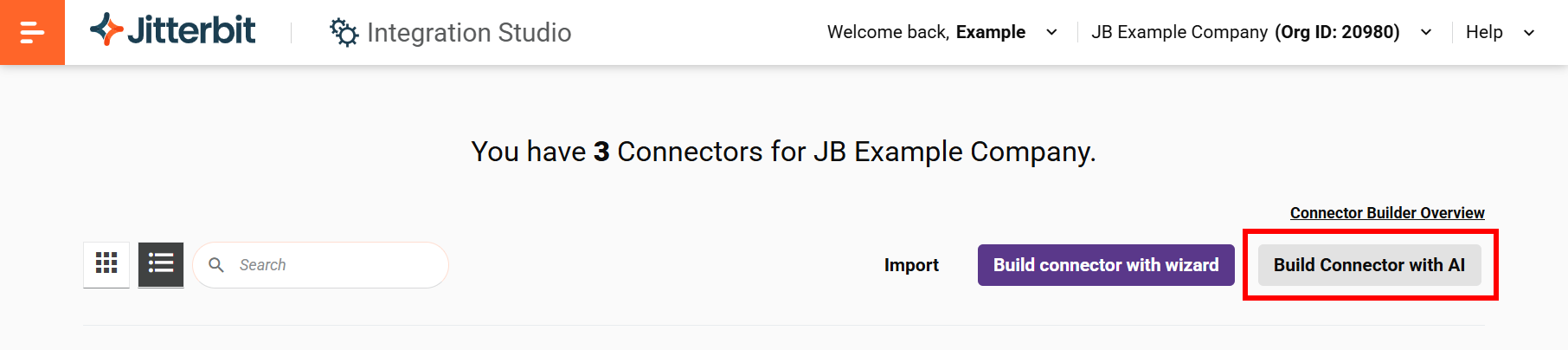
Access the AI assistant from the Connector Builder page by clicking Build Connector with AI:
Important
The Connector Builder AI Assistant is hidden unless your Harmony license includes the Connector Builder AI Assistant option. Contact your Customer Success Manager (CSM) to have it added to your Harmony license.
Create a new connector
To create a connector using the Connector Builder AI Assistant, follow these steps:
-
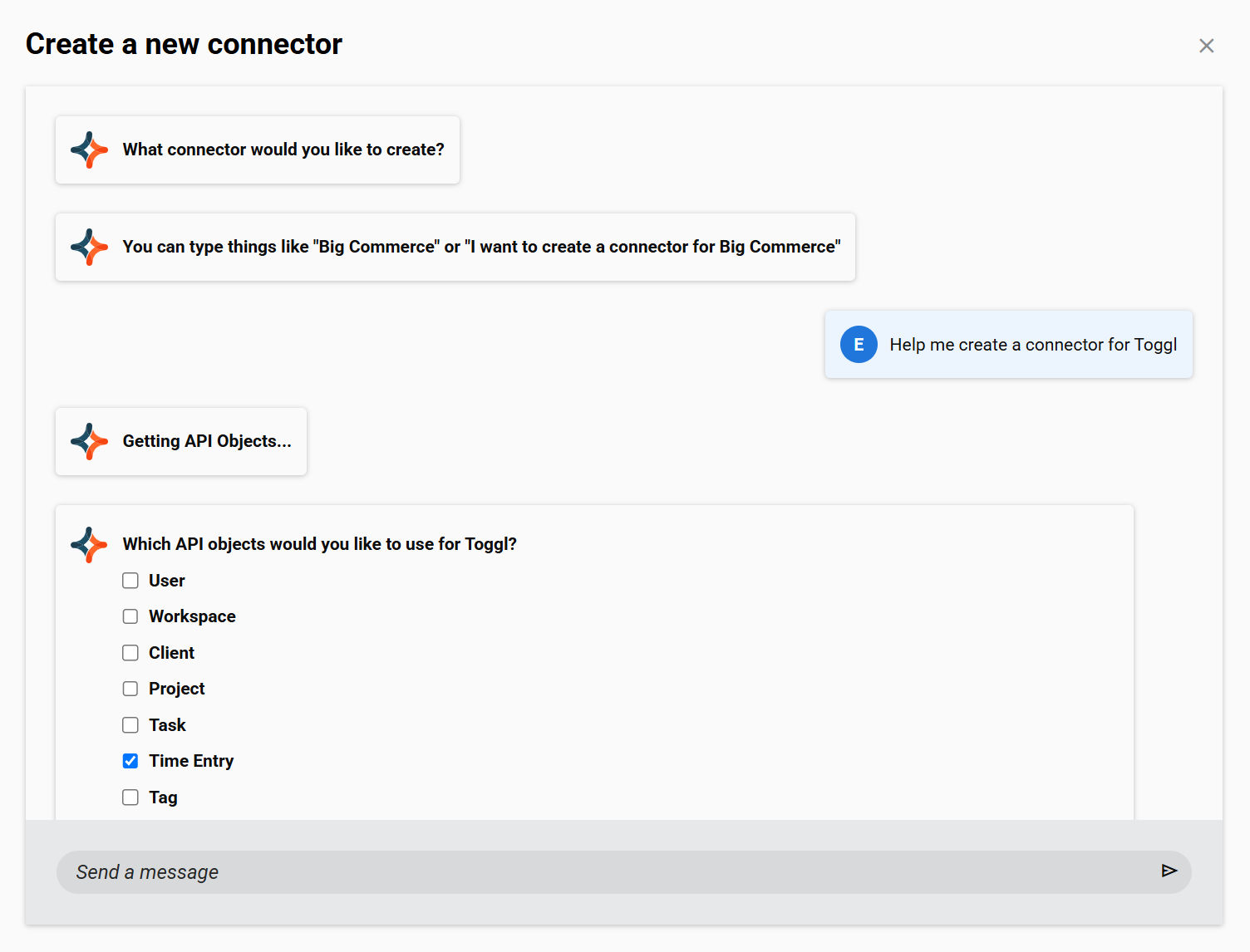
Complete the initial prompts for required information, such as the connector you want to create and the API objects you want to use:
-
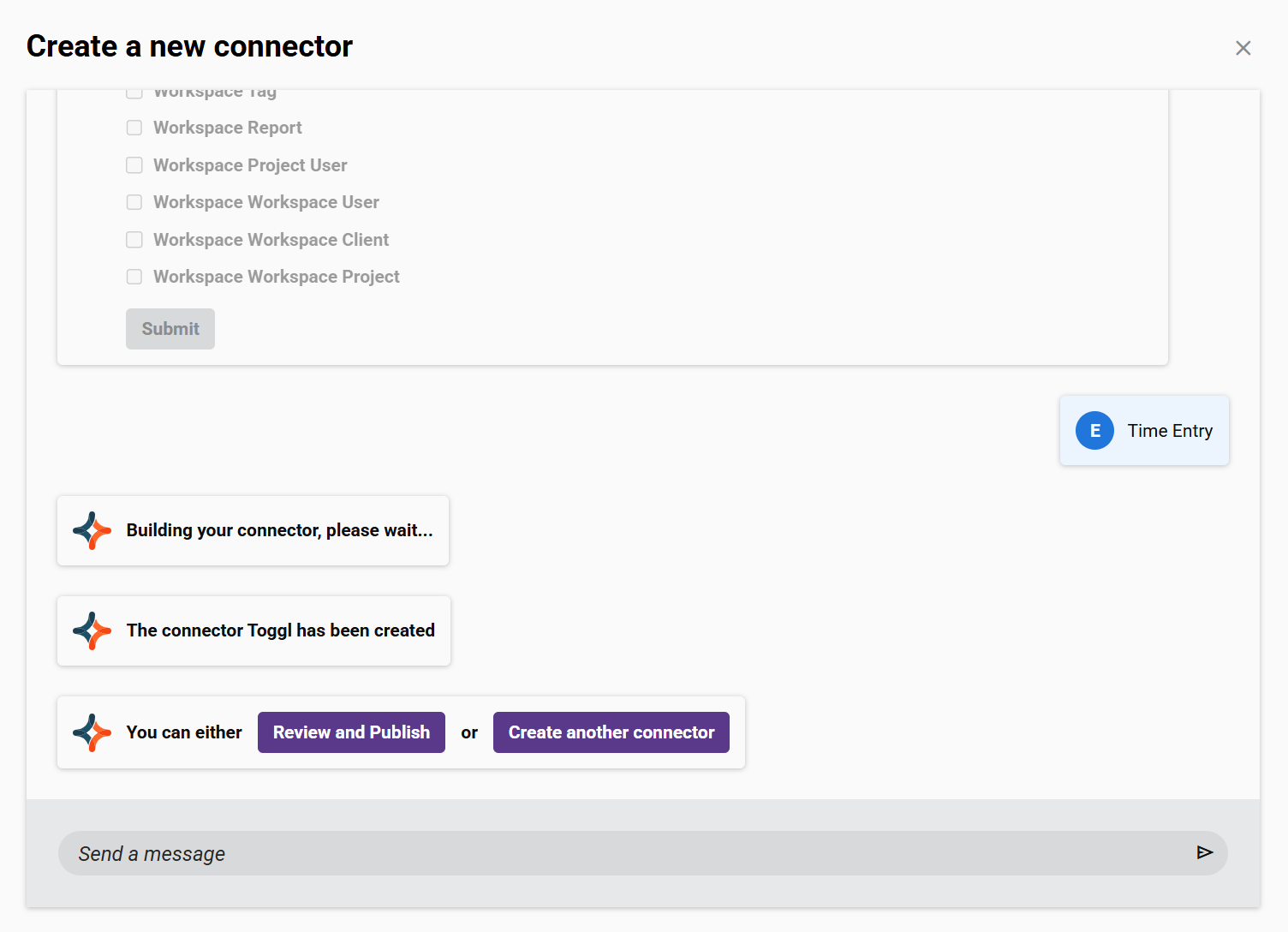
Once you have selected objects, click Submit. It may take several minutes for the connector to be generated. When the connector is built, click Review and Publish to continue:
-
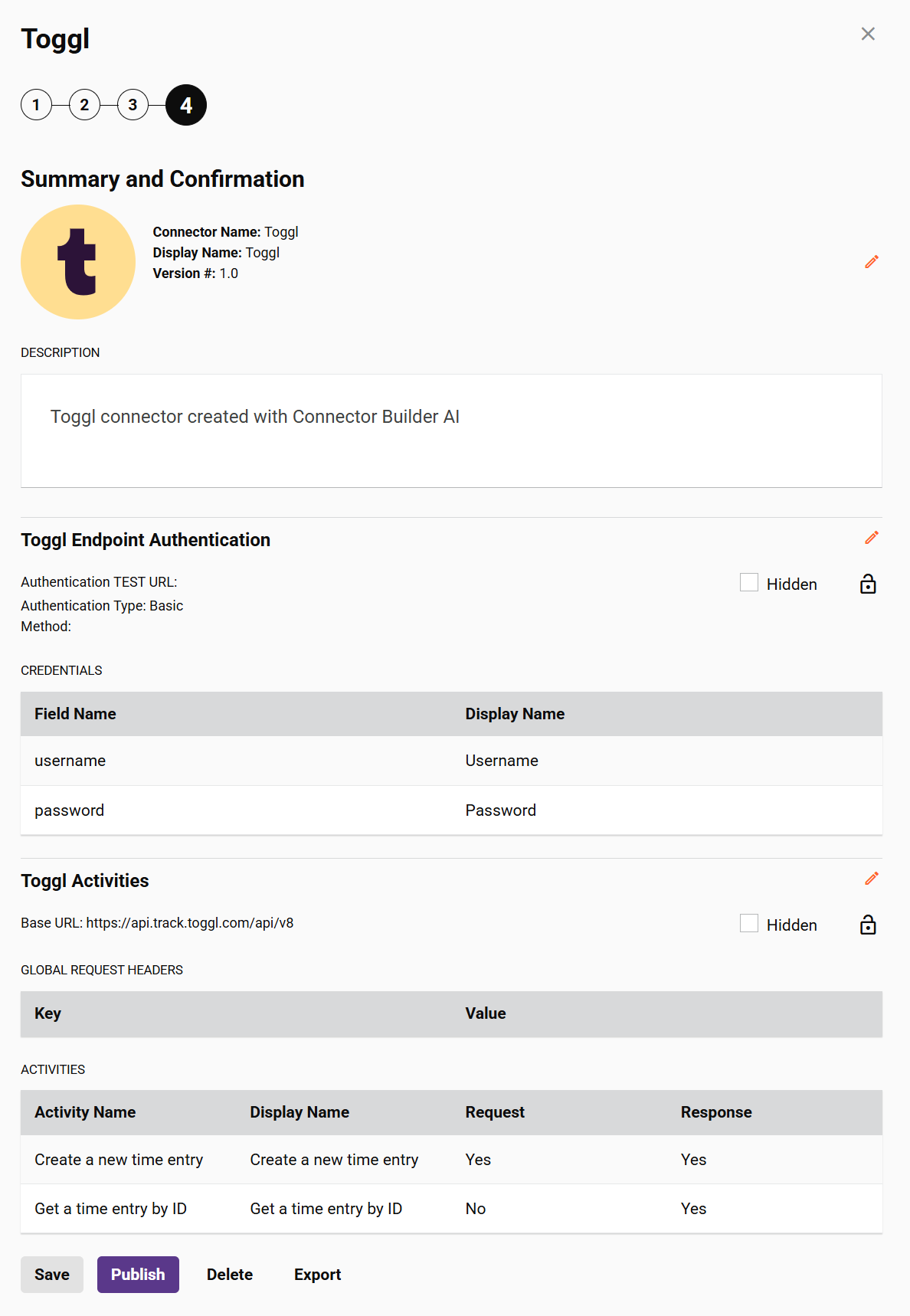
The new connector will open on Step 4: Summary and confirmation of the Connector Builder configuration wizard, where you can make additional edits, publish, delete, or export the AI-generated connector:
Limitations
The Connector Builder AI Assistant has these limitations:
- Only creating a new connector is supported. To edit, publish, delete, unpublish, or export a connector, use the Connector Builder user interface.
- Only basic or anonymous authentication with REST APIs is supported.
- The maximum number of API objects you can select per connector is 20.
- A limited set of interactions with the AI assistant is available.