Tags (control type) in Jitterbit App Builder
The Tags control, available in App Builder 4.63 and later, allows users to select one or more values from a predefined list. Selected values are stored together in a single database text column as a comma-delimited list (for example, TagA,TagB,TagC).
The Tags control is well suited for categorization and labeling use cases where the selected values do not need to be stored in a separate relational table.
Set up a Tags control
To add a Tags control to a panel, use the Add a Control dialog. When selecting the control type, the Tags control appears in the Edge Case group:
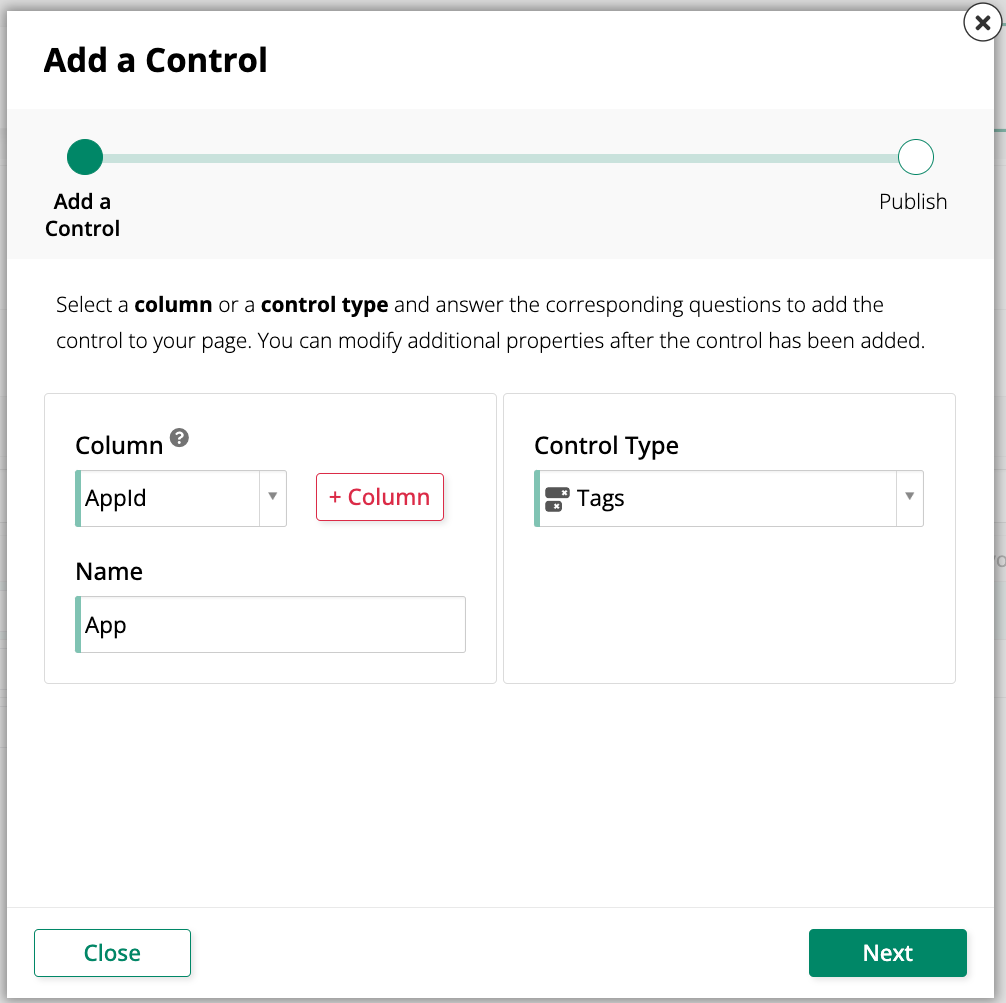
The Tags control requires a source data object that provides the key and title values for the available tags. Configure the source data object in the control's List properties, the same way you would for a List control.
Configure the delimiter
By default, the Tags control separates selected values with a comma when displaying them (for example, TagA, TagB). Use the Delimiter parameter to display tags with a different single-character separator instead, such as a pipe (|) or slash (/).
To configure the delimiter:
-
Open the Live Designer on a page that has a Tags control.
-
Select the Tags control to open its properties.
-
Click the icon next to Control Type to open the Parameter Bindings dialog.
-
Click Create. The Parameter Binding dialog opens.
-
Configure the parameter binding:
- Parameter: Select Delimiter.
- Type: Select Static Value. Column and Control are also selectable but are not supported for the Delimiter parameter.
- Value: Enter the single character to use as the delimiter, for example
/.
-
Click Save.
Note
The Delimiter parameter is limited to a single character and defaults to a comma (,). It only affects how tags are displayed and does not change how tag values are stored, which remains comma-delimited.
Known limitations
- Filtering is not supported. Tags control fields cannot be added to a filter panel.
- Links are not supported. Neither static links nor dynamic links can be configured on the Tags control.
- Retrieval bindings are not available. Retrieval bindings do not apply to multi-select controls and are not shown in the Tags control properties.